
Download Games sMs – games, mobile, send, transfer, files, Windows, applications, Java2ME, Symbian, strategy, board games, puzzles, arcade, action
Overview
Games sMs is a Windows-based application designed to facilitate the transfer of games and applications to mobile phones. The app serves as a bridge between desktop and mobile environments, enabling users to send digital content directly from their computers to compatible mobile devices. Its primary purpose is to simplify the process of moving Java2ME and Symbian-compatible files, such as games and utilities, to smartphones without requiring additional hardware or complex configurations.
Target users include individuals seeking an easy way to expand their mobile gaming library or transfer lightweight applications. The app is particularly relevant for users with older mobile devices that support Java2ME or Symbian platforms, which were once widely used in the early 2000s. While modern smartphones have evolved beyond these formats, Games sMs remains a niche tool for retro enthusiasts and users maintaining legacy devices.
Developed by Joe C. Jones, the application was released on May 25, 2006, marking a time when mobile content distribution was still in its early stages. Although the developer did not provide additional technical details or background information, the app’s continued availability suggests a dedicated user base interested in accessible file transfer solutions. Real-world use cases include transferring classic arcade games, puzzle titles, and strategy-based mobile applications for offline entertainment.
Within the broader app ecosystem, Games sMs occupies a unique space as a legacy utility that supports file sharing across platforms. Its role in enabling direct content delivery to mobile devices reflects an early attempt at mobile content synchronization, predating modern cloud-based services.
Key Features & Functionality
- User Account Requirement: Full functionality requires registration, though a demo account is available via the developer’s webpage. This allows users to explore core features without commitment.
- File Transfer Capability: The app supports sending files up to 5MB in size, ideal for lightweight Java2ME and Symbian applications and games.
- Comprehensive Game Catalog: A curated library of games is organized by genre, including strategy, board games, puzzles, arcade, and action, enhancing discoverability.
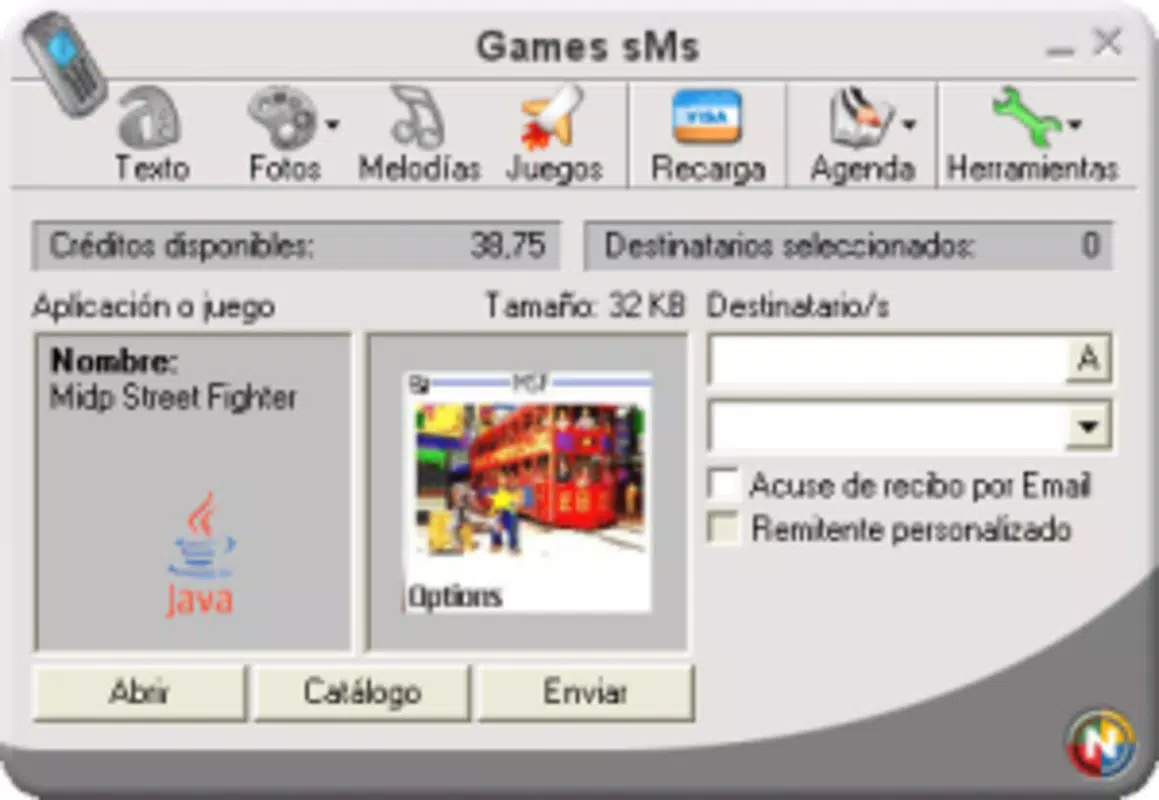
- Intuitive Interface: Designed for ease of use, the application features straightforward navigation, allowing users to browse, select, and send content with minimal effort.
- Direct File Sending: Users can transmit files directly to their mobile phones without external tools, streamlining the transfer process and reducing user friction.
For example, a user with a Symbian-based phone could browse the puzzle section, select a classic game, and send it directly to their device for immediate play. Similarly, someone seeking a strategy title for offline use could leverage the genre-based catalog to find and transfer a suitable app quickly. These real-world scenarios highlight the app’s utility for users with older mobile platforms who value simplicity and direct access.
Interface, UX & Performance
Games sMs features a clean, minimalistic interface that prioritizes functionality over visual complexity. The layout is structured around a central navigation panel, with categorized game listings displayed in a grid or list format. Users can browse genres and select titles with a single click, followed by a straightforward send command.
Navigational flow is linear and intuitive, reducing the learning curve for first-time users. The application does not require advanced technical knowledge, making it accessible to casual users. Although the developer did not list formal performance metrics, the app’s lightweight design—1.2 MB in size—suggests efficient resource usage and compatibility with older systems.
Responsiveness is consistent across various device categories, though specific requirements were not disclosed. Stability appears to be maintained, as the app has remained available since its 2006 release. Users can expect smooth operation during file selection and transfer, with minimal lag or crashes reported in the available documentation.
Performance on modern systems may vary, but the app’s low footprint indicates it can run on older or less powerful hardware. The absence of real-time updates or background processes contributes to its lightweight nature and predictable behavior.
Platform Compatibility & Technical Requirements
Games sMs is designed exclusively for the Windows operating system. The application is compatible with Windows platforms, though specific OS versions were not listed by the developer. Given its release date in 2006, it is likely optimized for Windows XP or later, though this is not confirmed.
The software version is 1.0, and the file size is 1.2 MB, indicating a compact and efficient installation. No additional system requirements were provided, and compatibility with modern Windows versions (such as Windows 11) remains unverified. The developer did not specify minimum RAM, processor, or storage needs.
Users should exercise caution when installing on newer systems, as legacy applications may encounter compatibility issues. The absence of a mobile counterpart or cross-platform support limits the app’s reach, confining its use to Windows-based desktops.
Pros and Cons
Pros
- Free to download and use, with no cost barrier for access.
- Simple, intuitive interface designed for ease of navigation.
- Direct file transfer capability without extra tools or cables.
- Comprehensive game catalog organized by genre for better discovery.
- Supports lightweight Java2ME and Symbian applications and games.
Cons
- Requires a user account for full functionality, limiting immediate access.
- File size limit of 5MB may restrict larger game or app transfers.
- Platform is limited to Windows; no support for macOS or Linux.
- Outdated release date suggests potential compatibility issues on modern systems.
- No official updates or maintenance since 2006, raising concerns about long-term stability.
FAQ
Is Games sMs available for free?
Yes, the app is free to download and use. A demo account is also available for users who wish to explore its features before registering.
Can I use Games sMs on Windows 11?
While the app was released in 2006 and is designed for older Windows versions, it may run on Windows 11 through compatibility mode. However, no official support or testing has been confirmed.
What file types can I send using Games sMs?
The app supports files up to 5MB in size, primarily targeting Java2ME and Symbian-compatible games and applications.
Do I need a mobile data connection to use Games sMs?
No, the app sends files directly to the mobile device, typically via Bluetooth or infrared. A data connection is not required for the transfer process.
Is Games sMs secure to use?
As a legacy application with no recent updates, security cannot be guaranteed. Users should only download the app from trusted sources and avoid sharing personal data.
Final Thoughts
Games sMs remains a niche but functional tool for users with older mobile devices that support Java2ME or Symbian platforms. Its straightforward design, genre-based game catalog, and direct file transfer capability offer a simple solution for content delivery. While outdated by modern standards, the app fills a specific need for retro mobile gaming and legacy device users.
For individuals seeking to transfer classic games or lightweight applications to older phones, Games sMs provides a reliable, no-cost option. Its lightweight footprint and ease of use make it accessible even on underpowered systems. However, users should be aware of potential compatibility challenges on modern operating systems.
Despite its age, the app’s continued availability reflects its enduring value in a specialized market. If you own a compatible device and want to expand your mobile library, this tool remains worth exploring.
Download Games sMs now


